support
Send debug information to WatchieBesti support
If you run into an issue, or want to give feedback, WatchieBesti support is here! We're always keen to learn how to make the WatchieBesti experience better. Send one combined debug export from your WatchieBesti iPhone app and a short description of what was going on at the time and what you expected vs what happened. Feel free to include screenshots too. The export will include your WatchieBesti family state, iPhone diagnostics, and Apple Watch debug information. Export requires your watch to be nearby and reachable by the iPhone app.
01
Export debug logs from iPhone
You do not need to export anything separately from Apple Watch. The iPhone asks the watch for its debug information and packages everything into one zip.
-
1
Open WatchieBesti on iPhone.
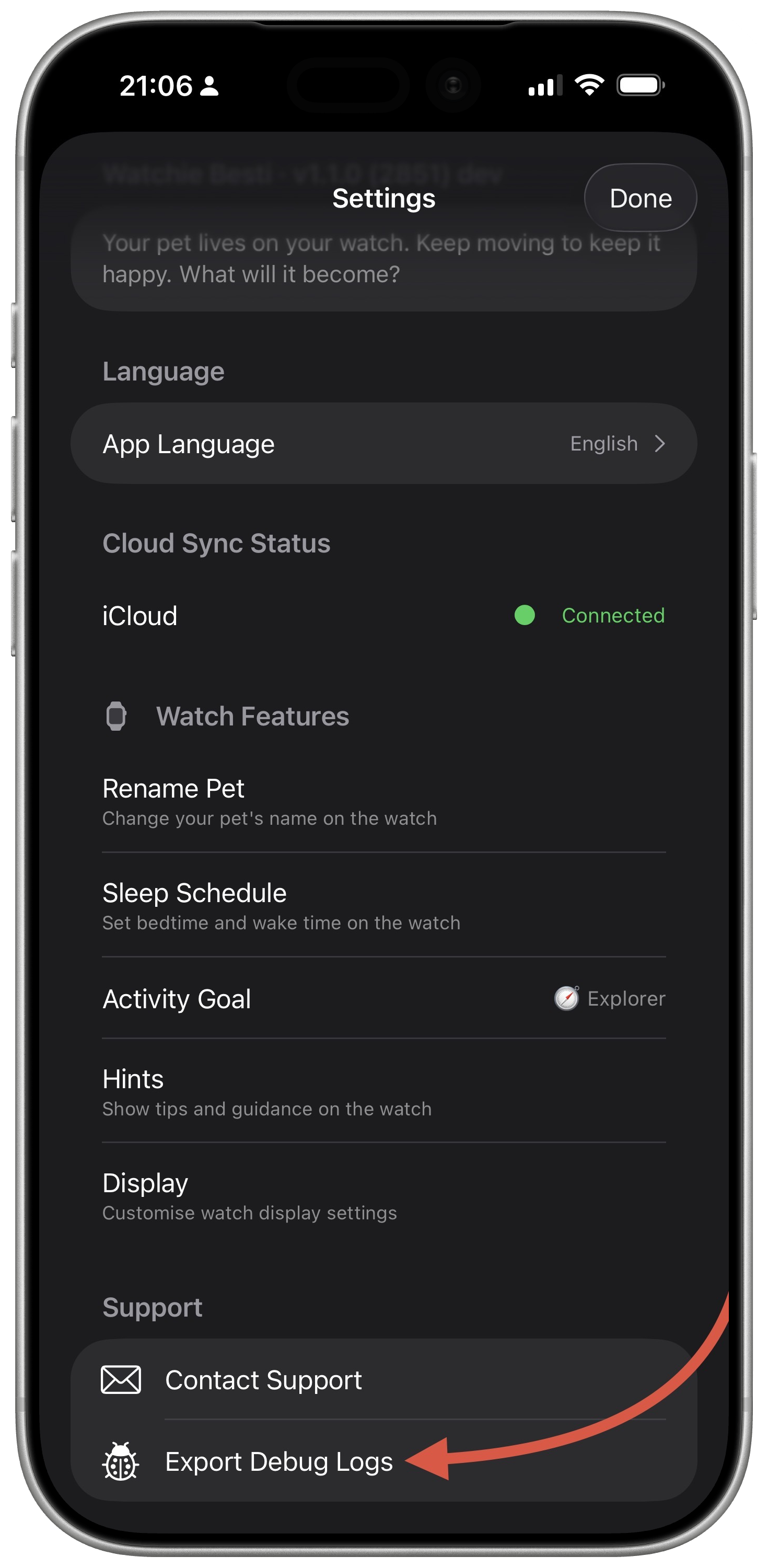
Open Settings and scroll to Support.
-
2
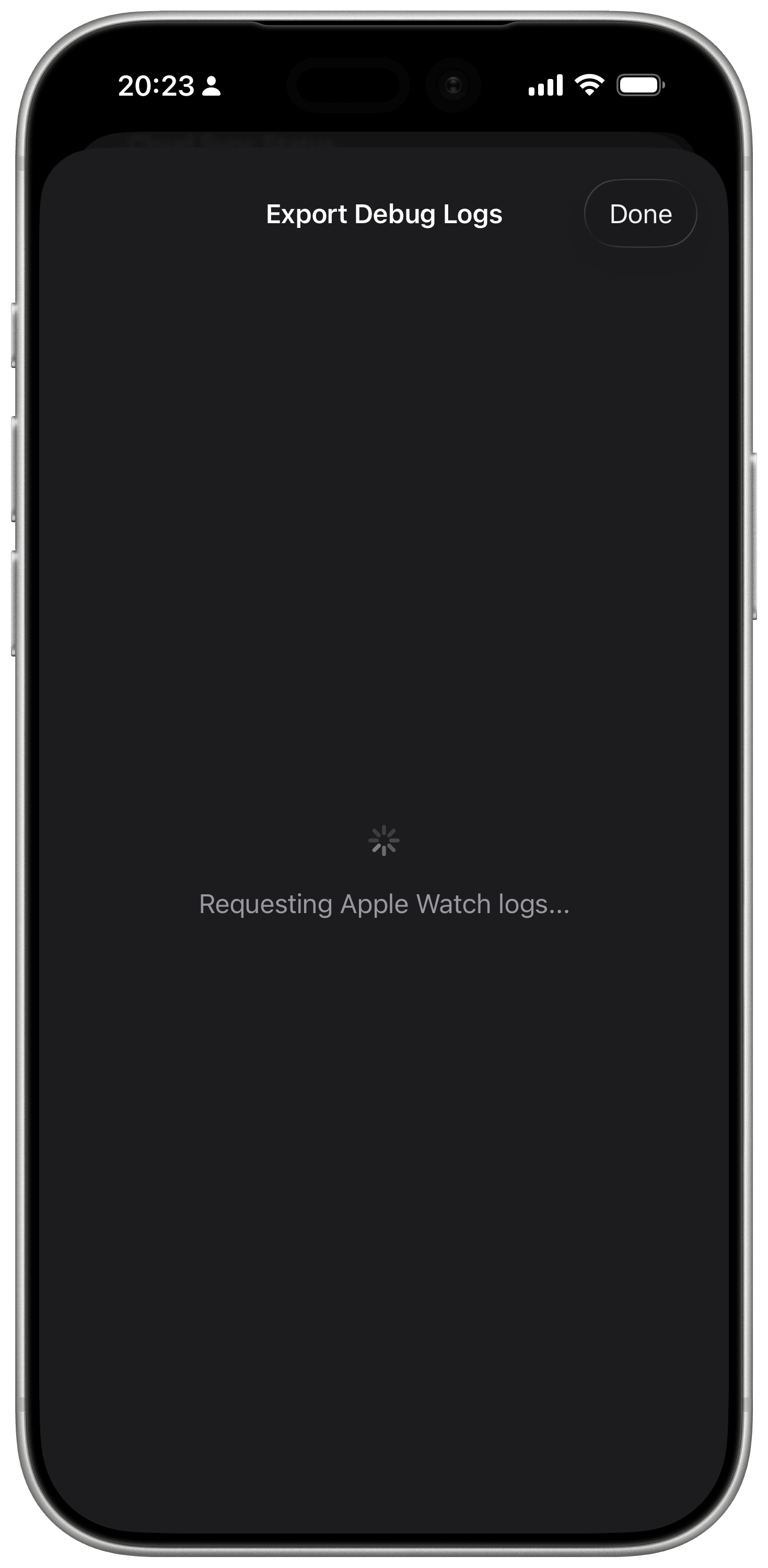
Tap Export Debug Logs.
Keep Apple Watch nearby and reachable while the export waits for watch data.
-
3
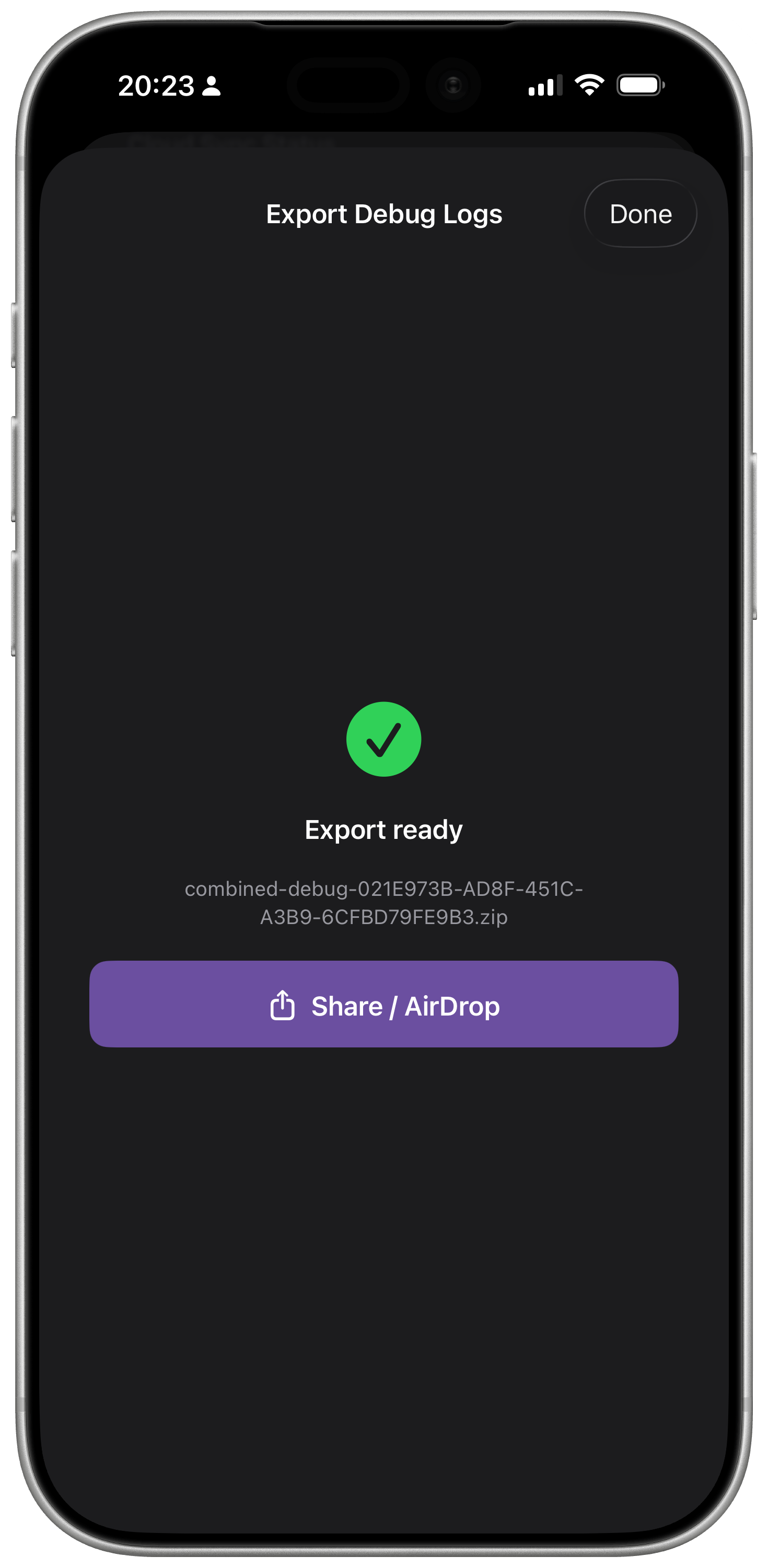
Choose Mail, Messages, AirDrop, or another share option.
Send the combined zip to support@watchiebesti.com.
If the watch is unavailable
Make sure Apple Watch is paired with this iPhone, WatchieBesti is installed on Apple Watch, and both devices are nearby. Opening WatchieBesti on Apple Watch can help if the iPhone says the watch is not reachable.
02
Describe the issue
Copy this into the email
What happened:
When it happened:
What you expected:
Did it happen once or more than once:
Screenshots attached: yes / no
Good details
- -Approx time and date.
- -What screen you were on.
- -Whether the issue fixed itself.
- -Your Apple Watch model, if you know it.
03
Send the email
Attach any screenshots or screen recordings. Include the combined debug export and the issue description.
Email support@watchiebesti.com